Updated April 8, 2025
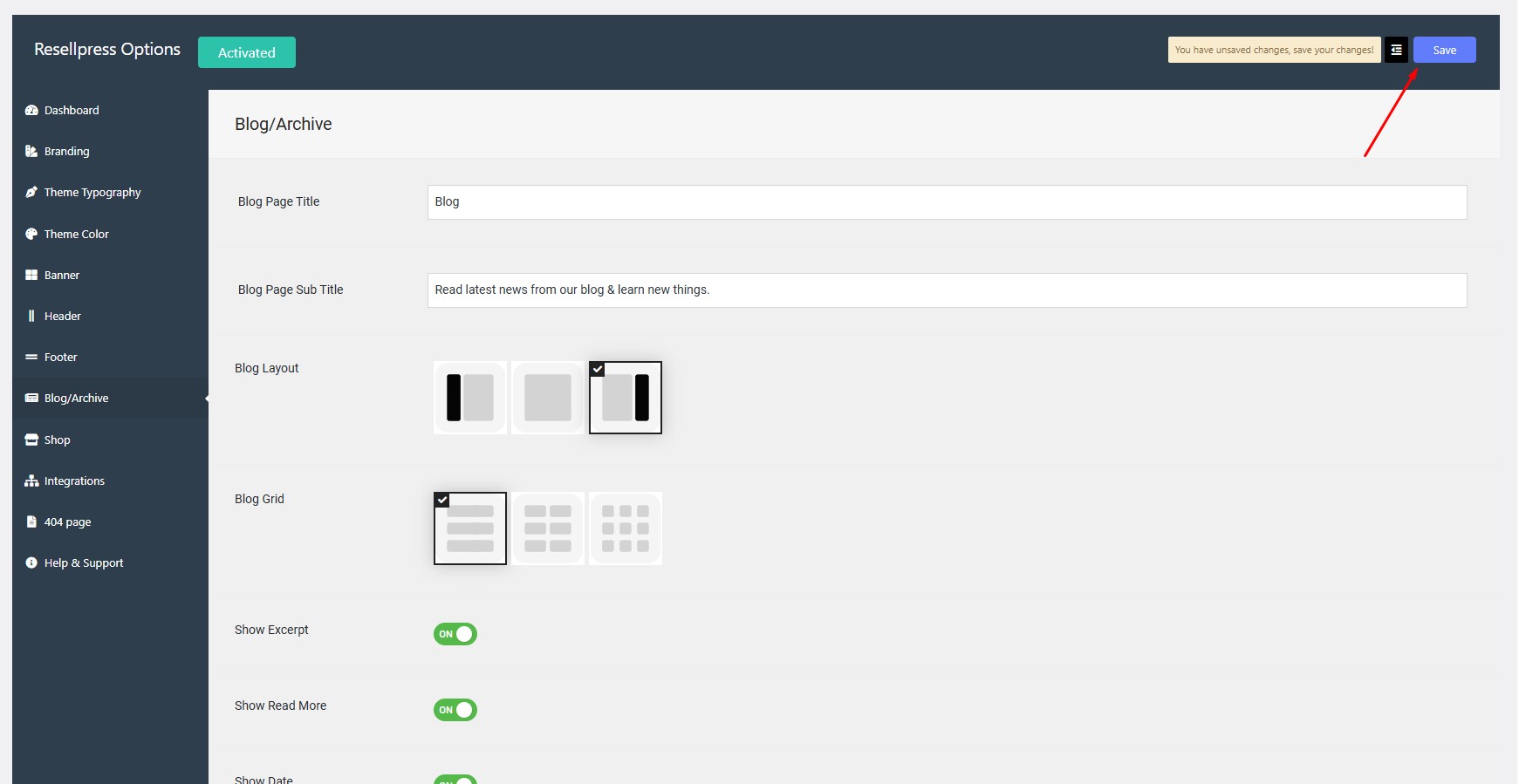
Navigate to Options > Blog/Archive > Blog Layout.
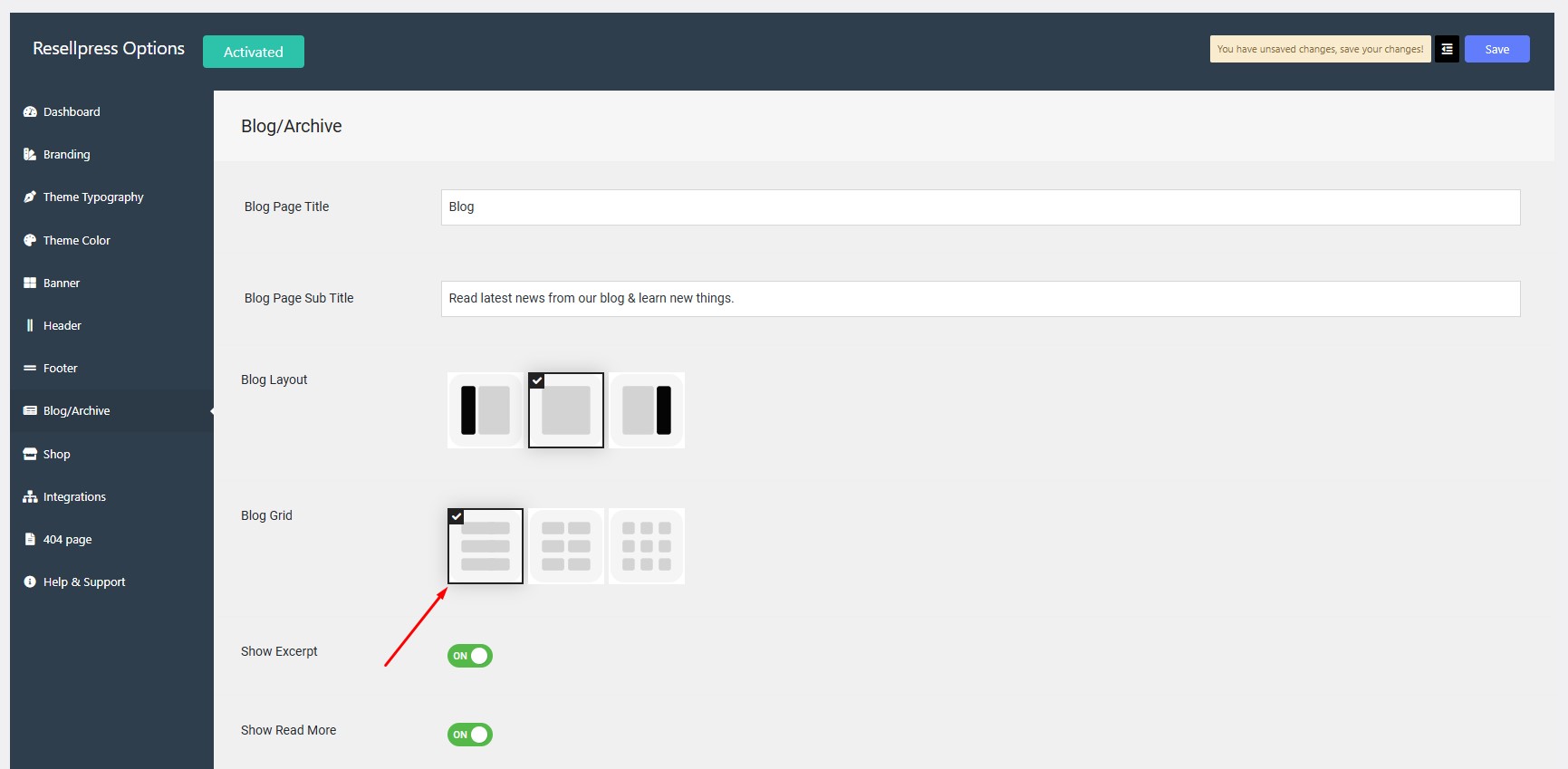
If you want to display one post per row on blog archive page click on left thumbnail next to blog grid showing vertical lines.
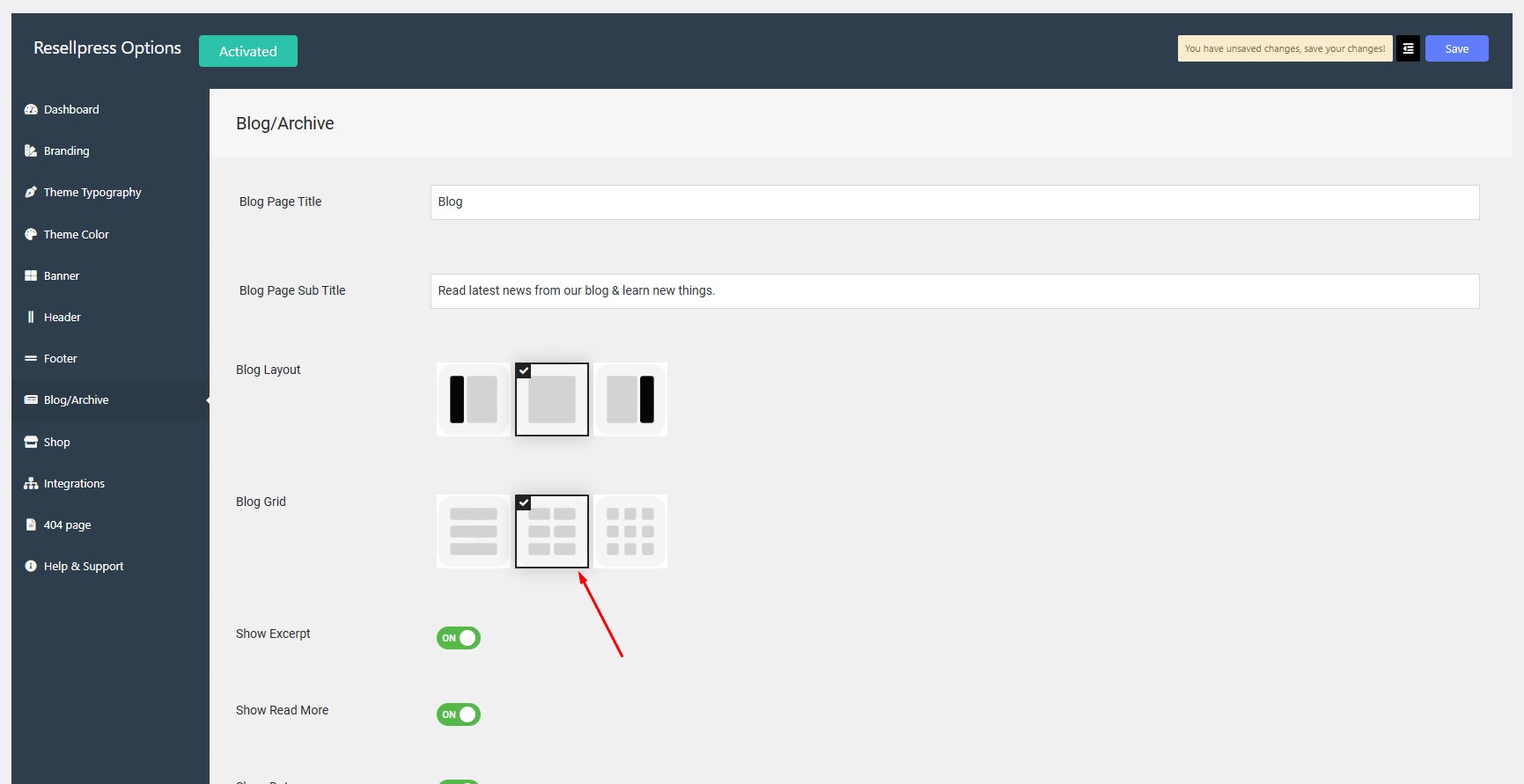
If you want to display two posts per row on blog archive page click on middle thumbnail next to blog grid showing two vertical lines.
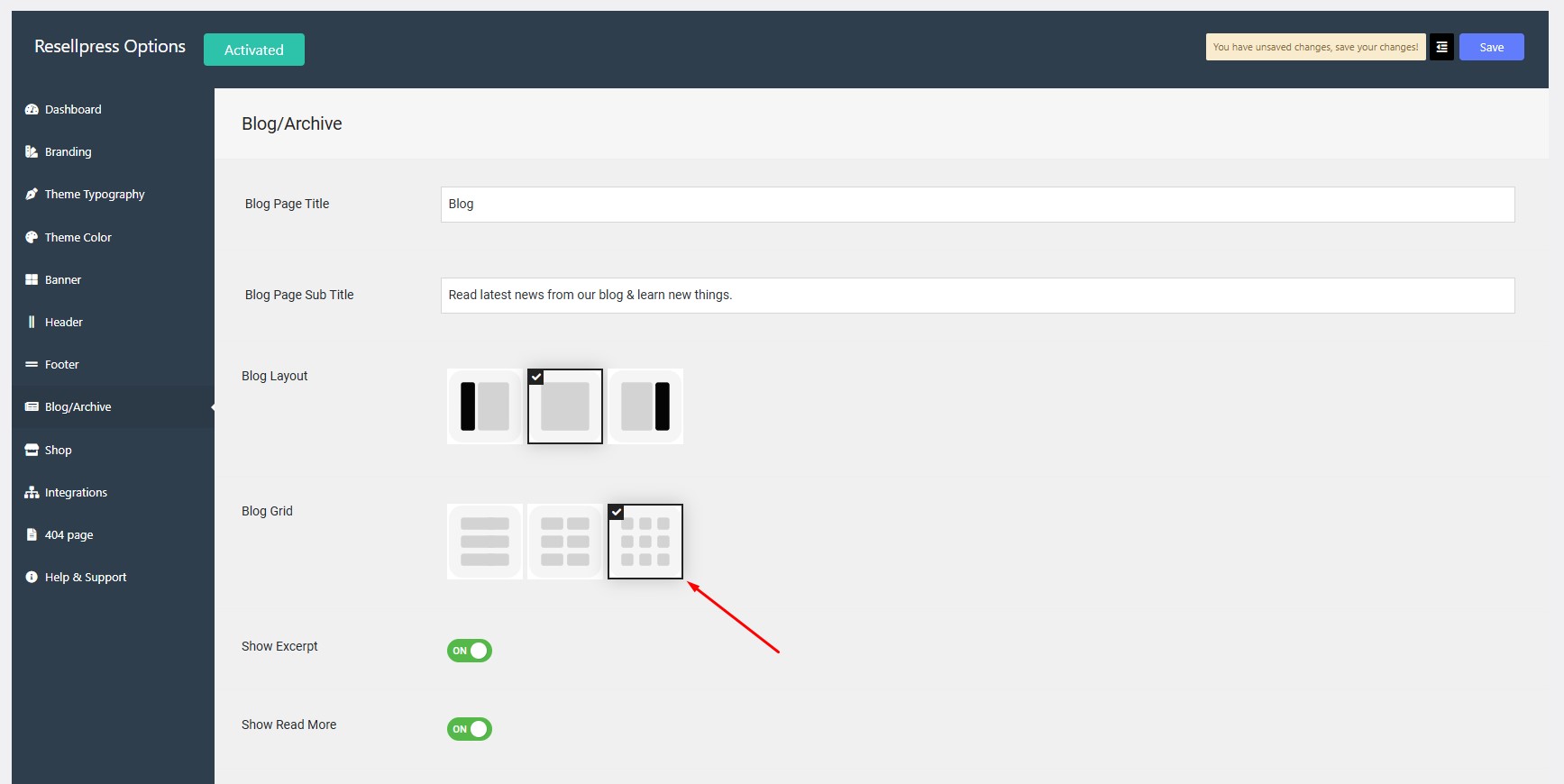
If you want to display three posts per row on blog archive page click on right thumbnail next to blog grid showing three vertical lines.
Click on save button.