Home ~ Knowledge Base

Our Knowledge Base

Browse our articles and guides to get the most out of our platform.

< Back to Knowledge Base

How to change the logo?

Updated April 8, 2025

Step 1:

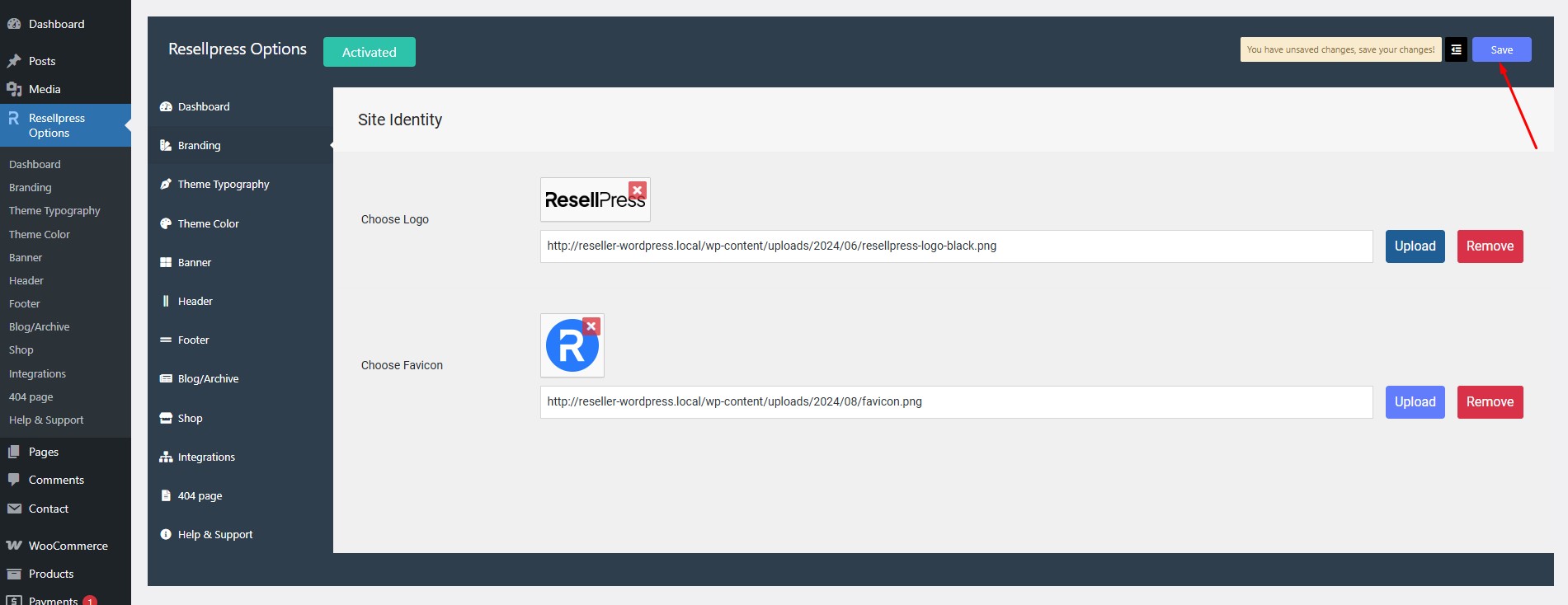
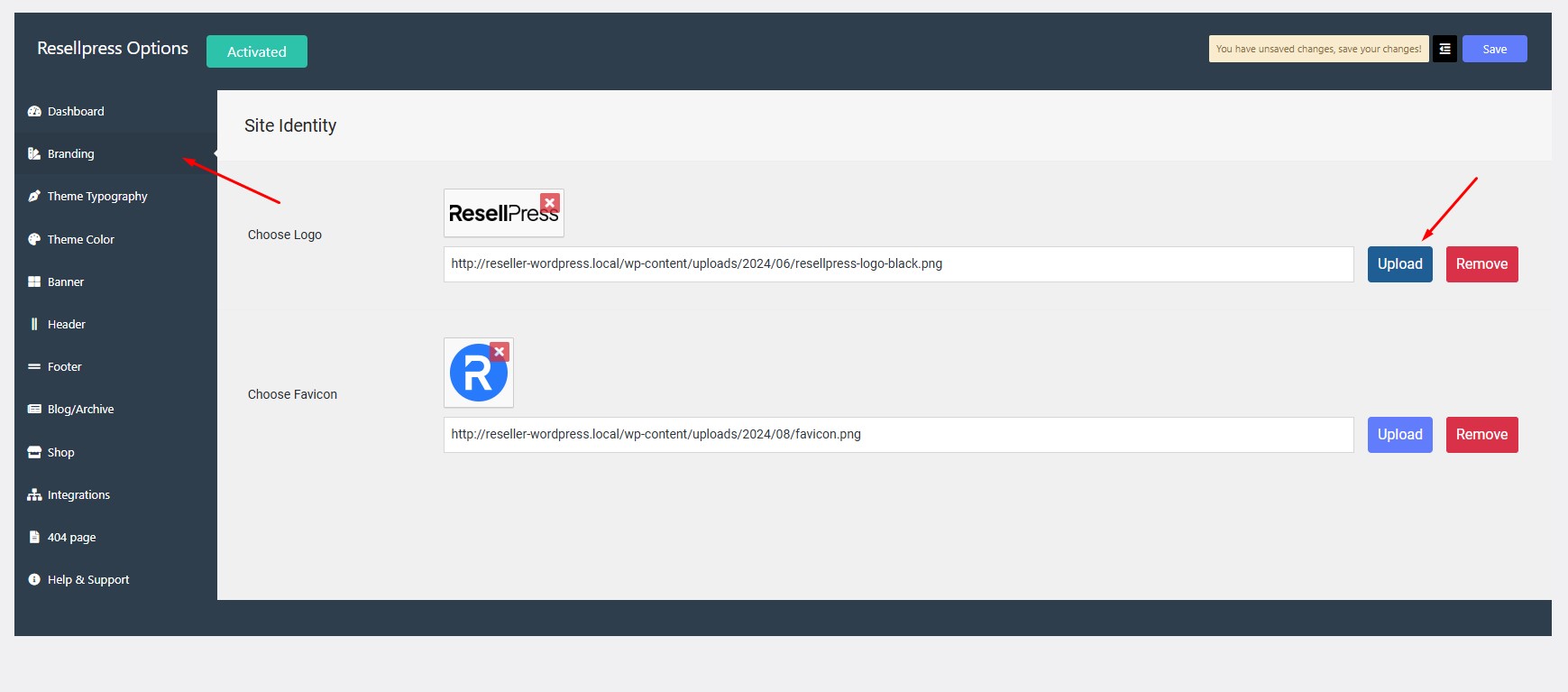
Navigate to Options > Branding > Choose Logo.

Step 2:

Click on upload button and select the image.
Step 3:

Click on save.

Note: If you’re using an Elementor Header, simply edit the header template with Elementor from Templates > Saved Templates and replace the logo directly within the editor.

←How to change header?How to change the favicon?→

gives you all the tools and designs you need to go live and grow faster.