Home ~ Knowledge Base

Our Knowledge Base

Browse our articles and guides to get the most out of our platform.

< Back to Knowledge Base

How to left/right Shop sidebar?

Updated April 8, 2025

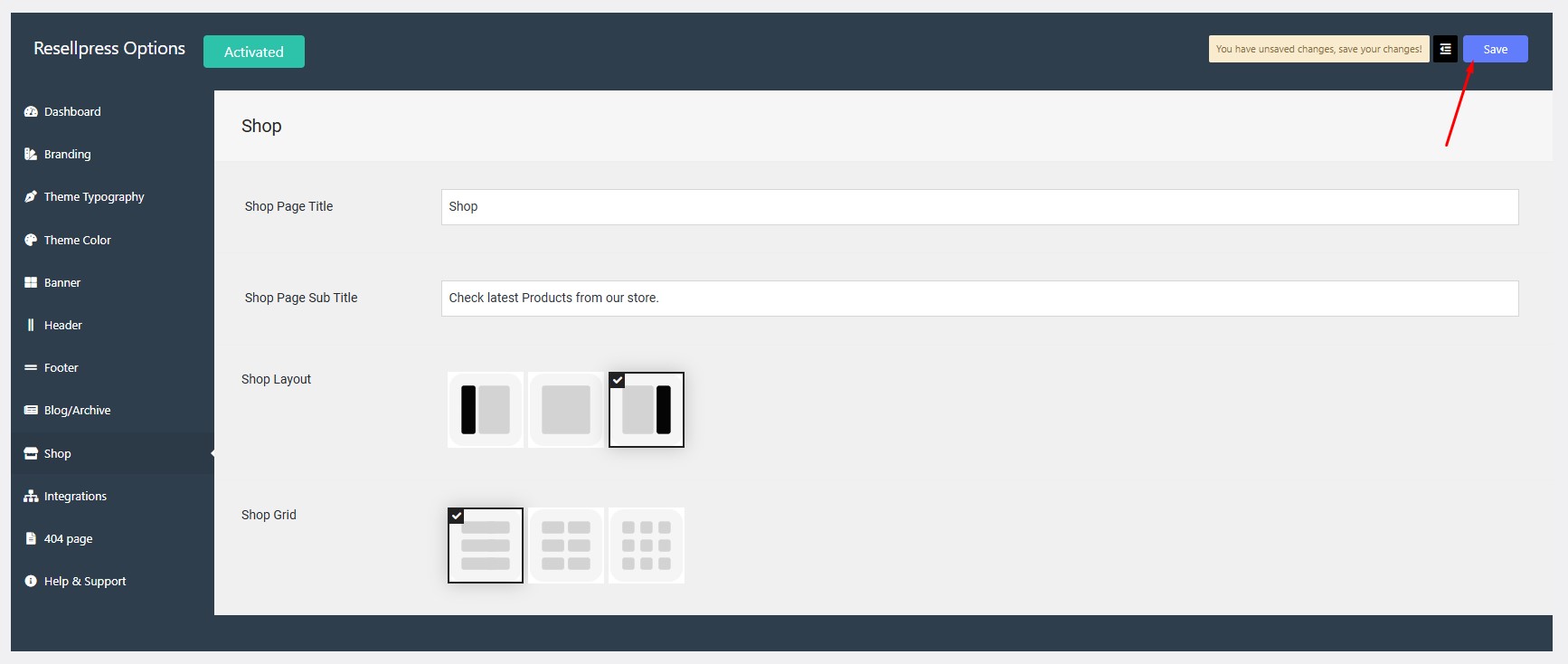
Step 1:

Navigate to Options > Shop > Shop Layout.

Step 2:

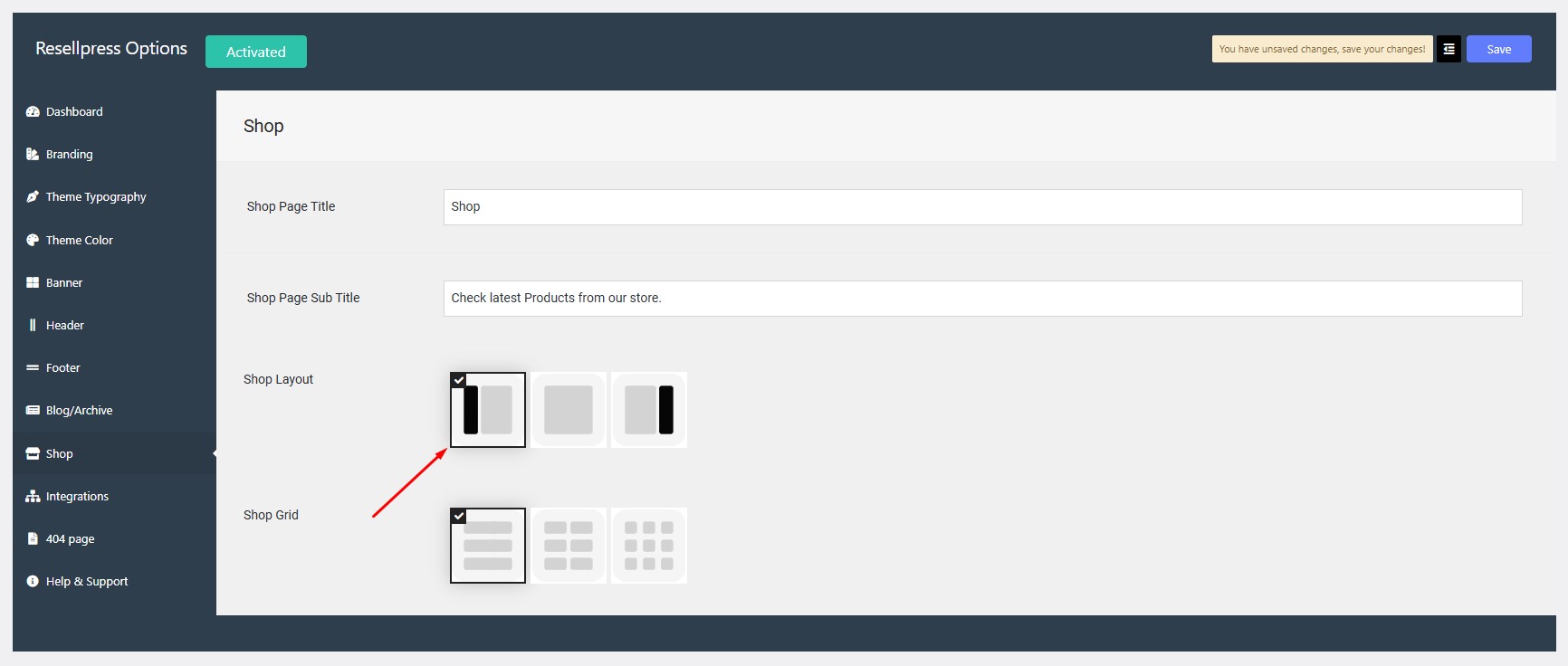
If you want to set the sidebar to left, click on the image with the black bar on left.
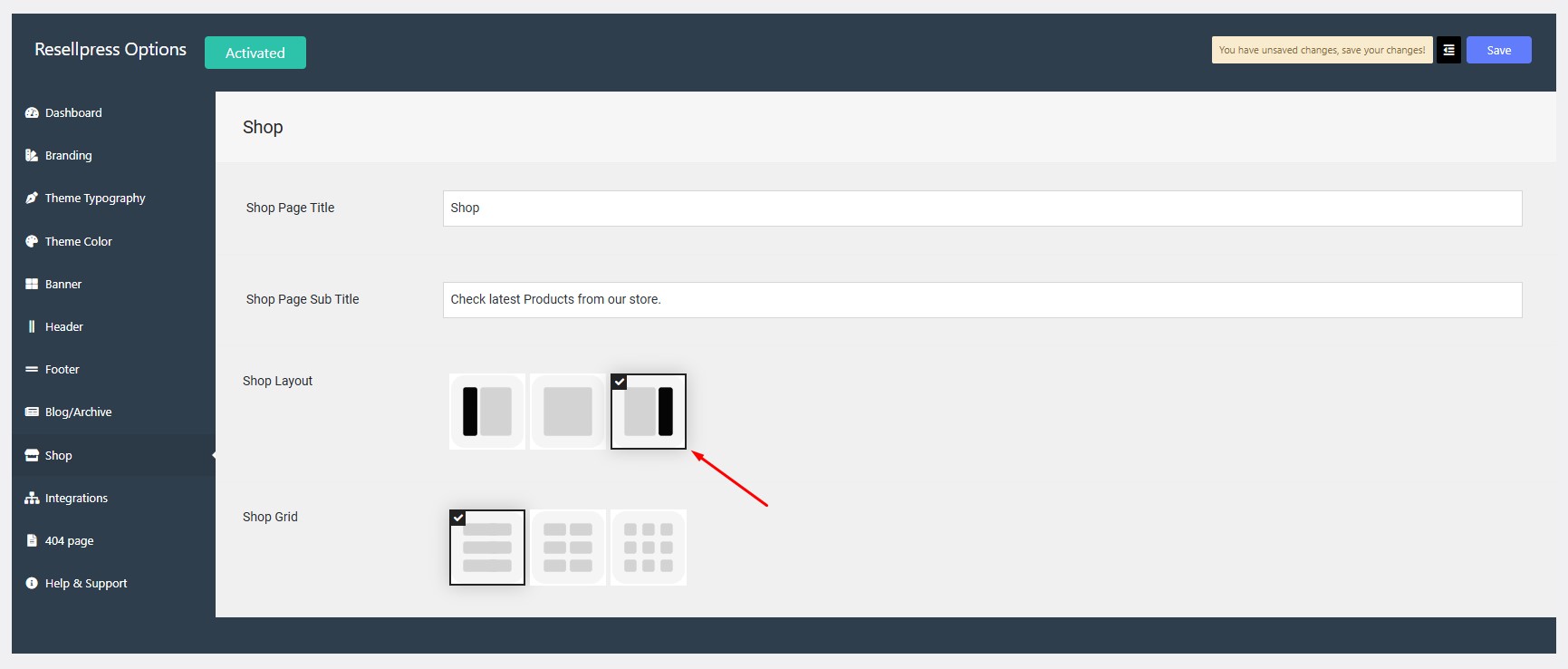
If you want to set the sidebar to right, click on the image with the black bar on right.
Step 3:

Click on save button.

How to remove shop sidebar?How to change the shop grid?

gives you all the tools and designs you need to go live and grow faster.