Updated April 8, 2025
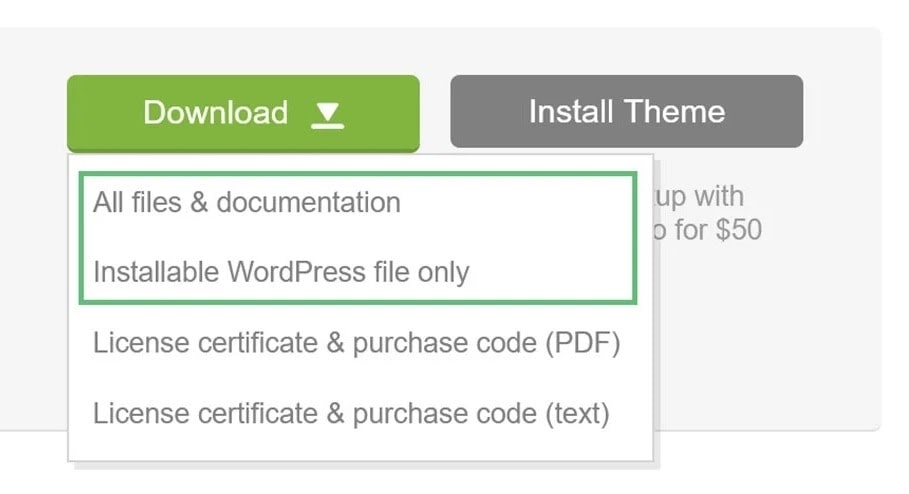
Log in to your ThemeForest account and navigate to the “Download” tab. Locate your purchased theme.
Click the Download button. You can select either:
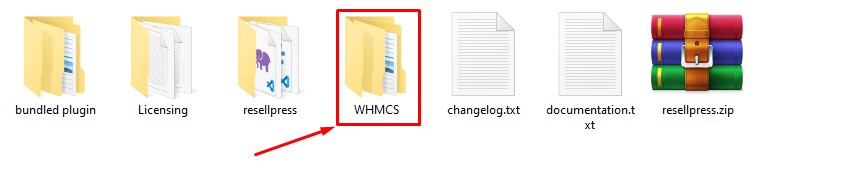
Navigate to Theme folder > WHMCS folder.
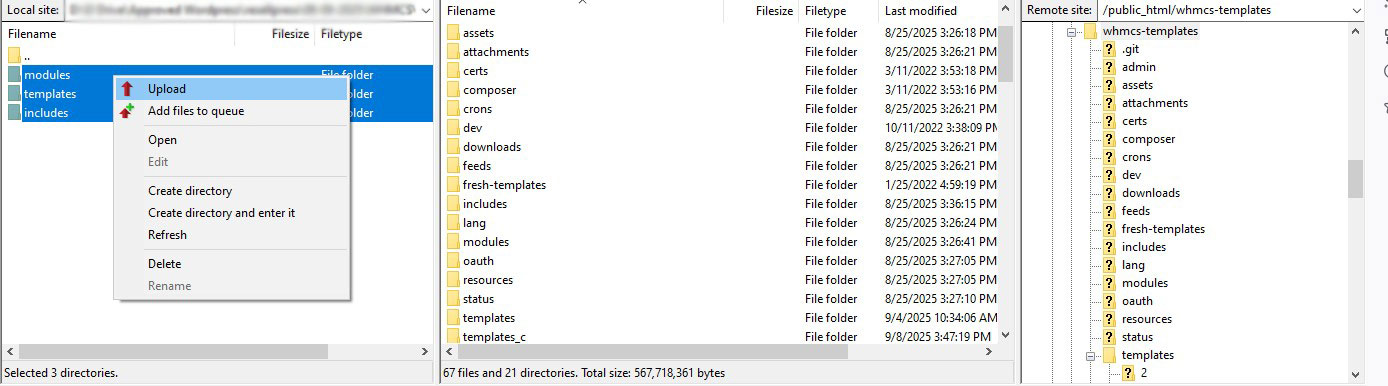
Upload all files from the WHMCS folder to your WHMCS installation directory.
Log in to your WHMCS admin. Hover over the wrench icon at the top right and go to System Settings.
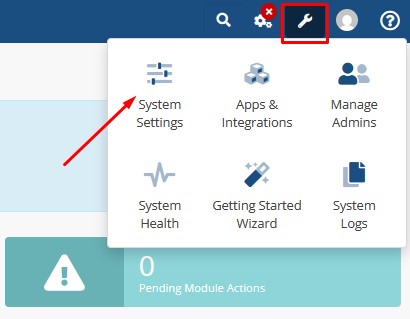
Search for Addon Modules and click on it.
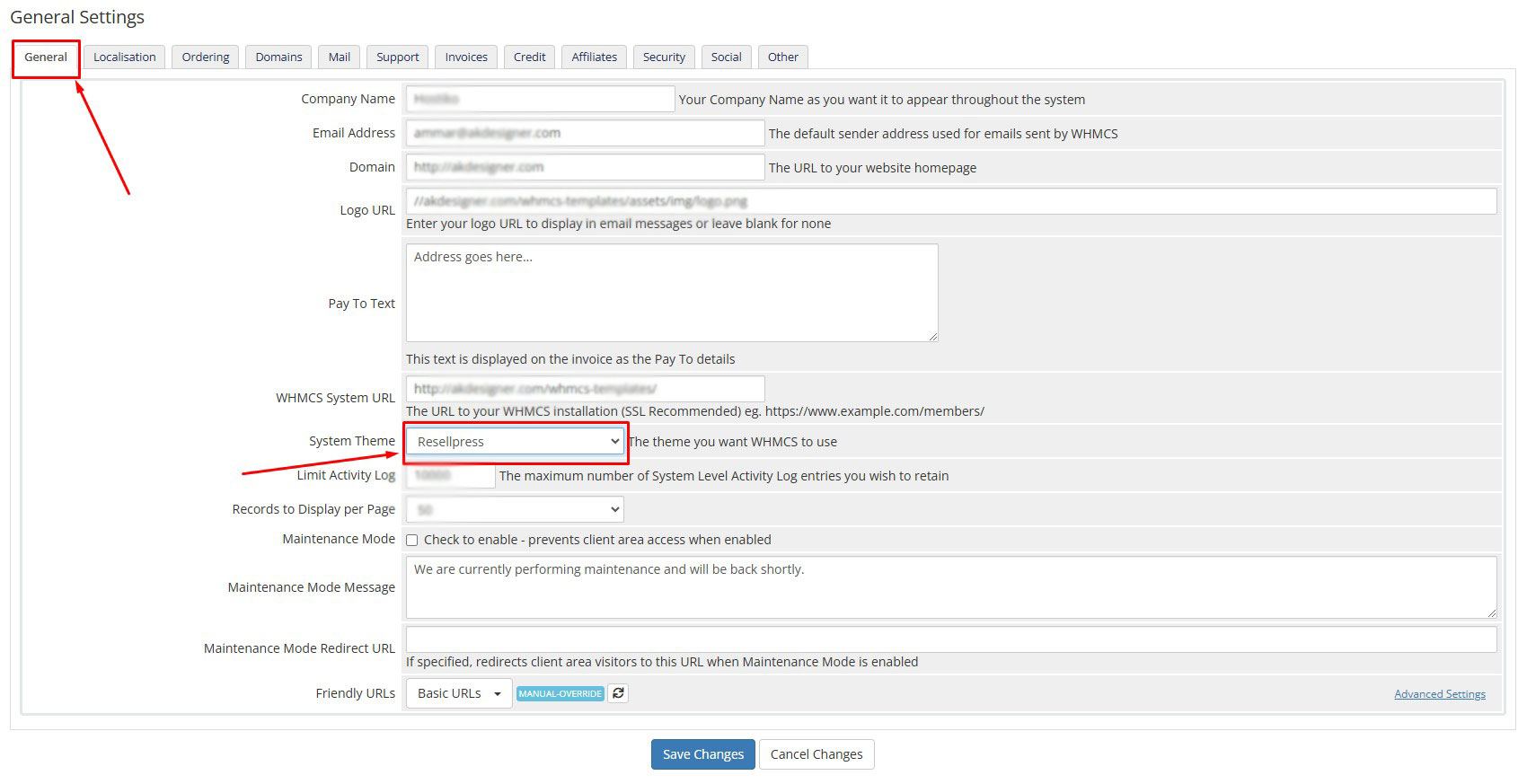
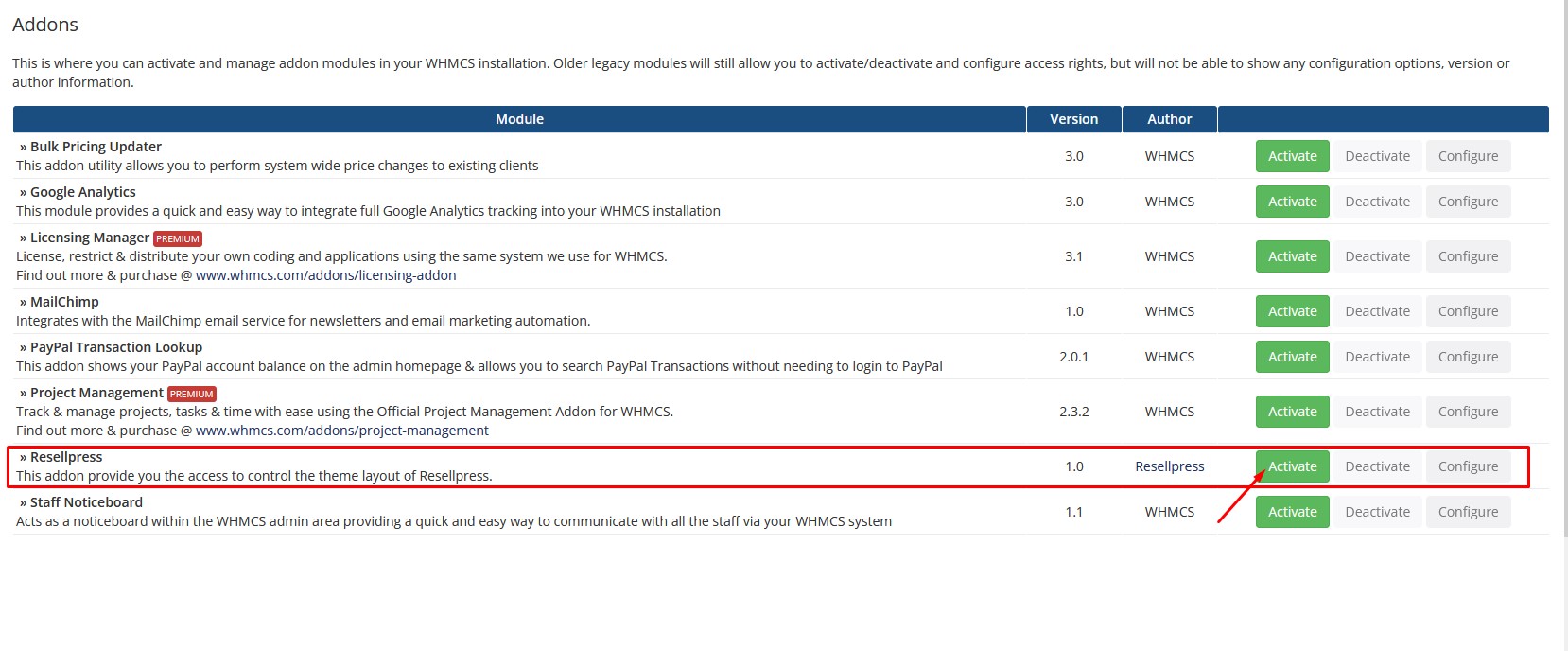
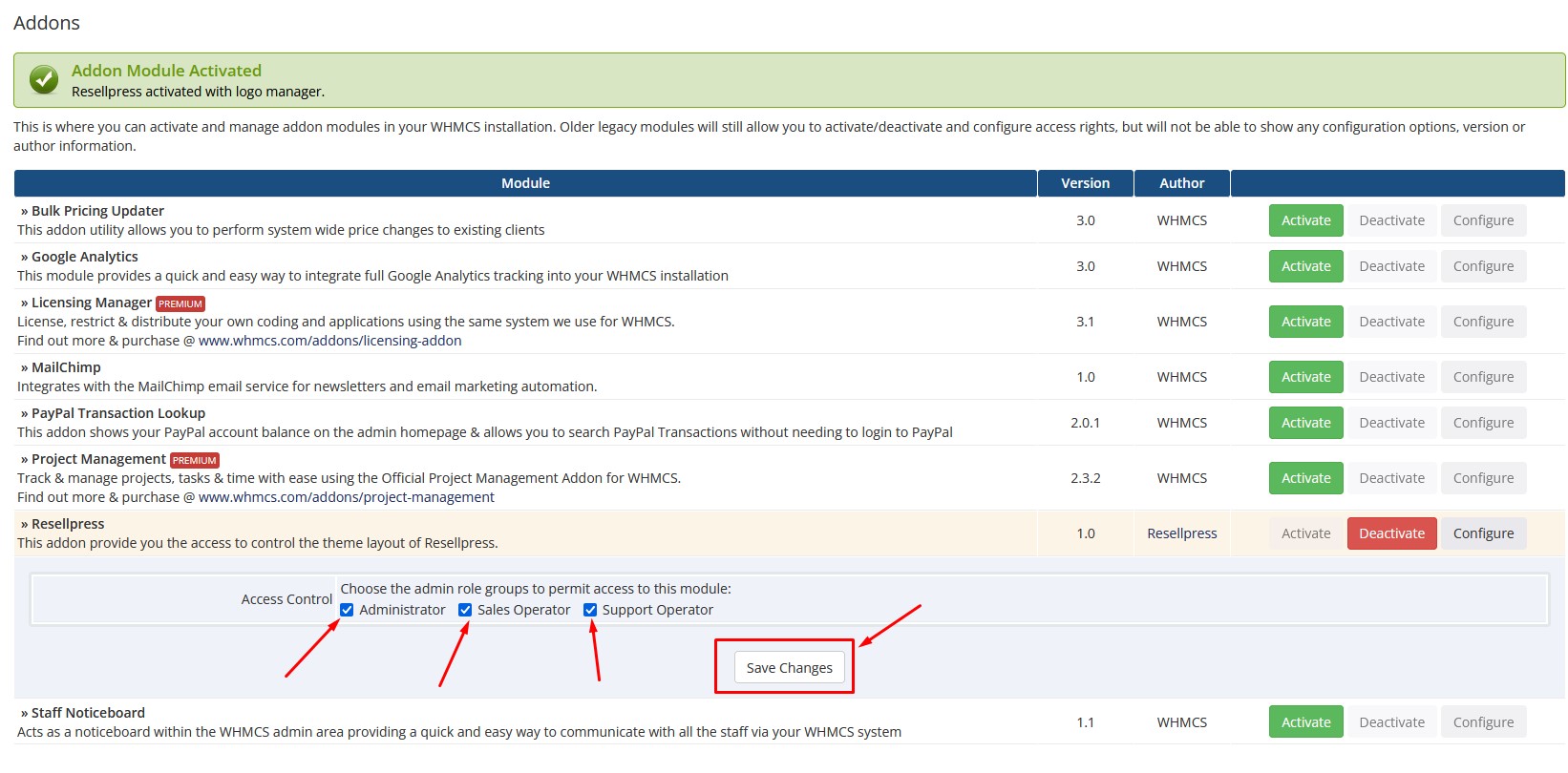
Find and activate it.
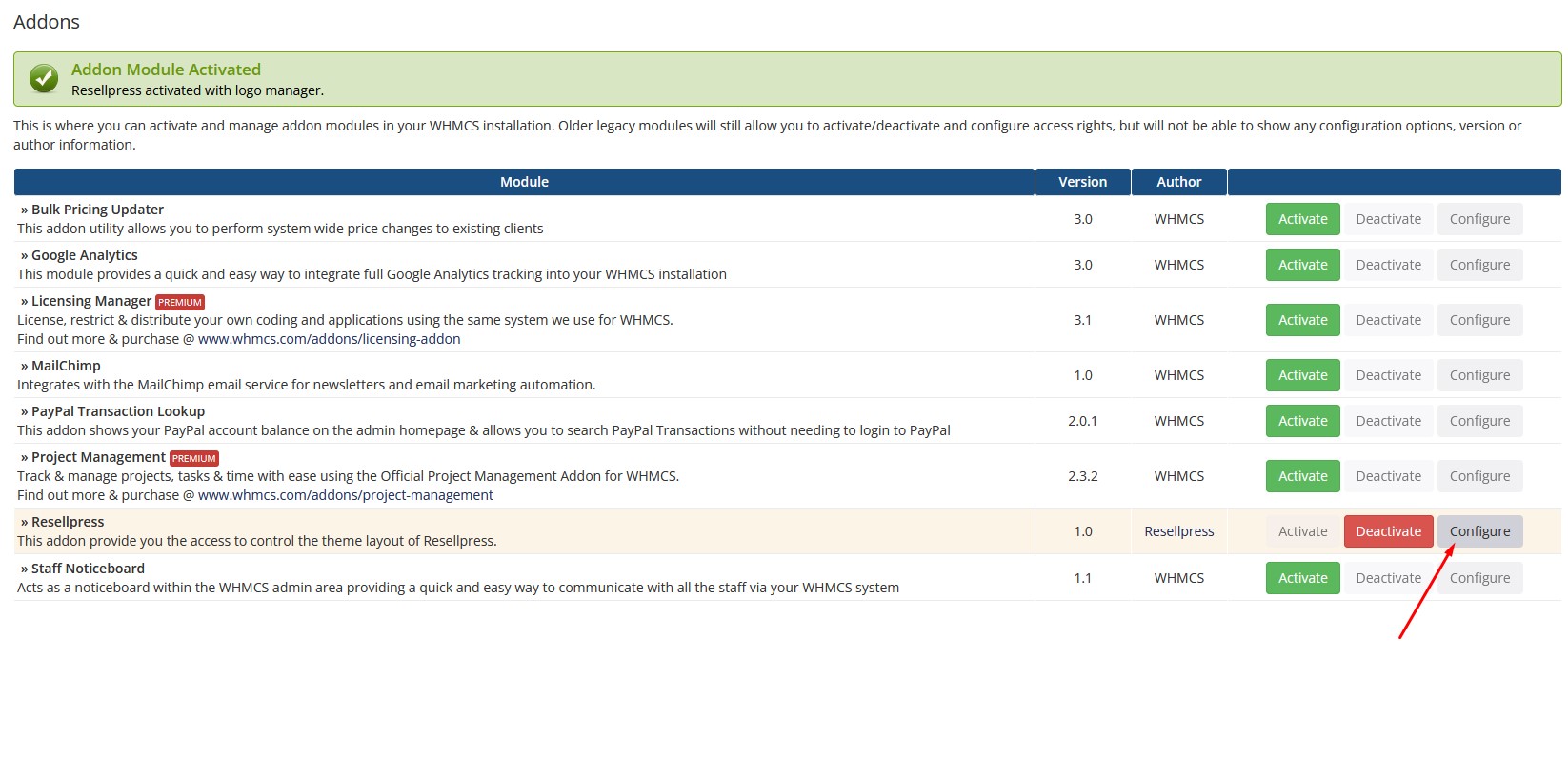
Click on Configure.
Check the boxes to allow module access and click Save Changes.
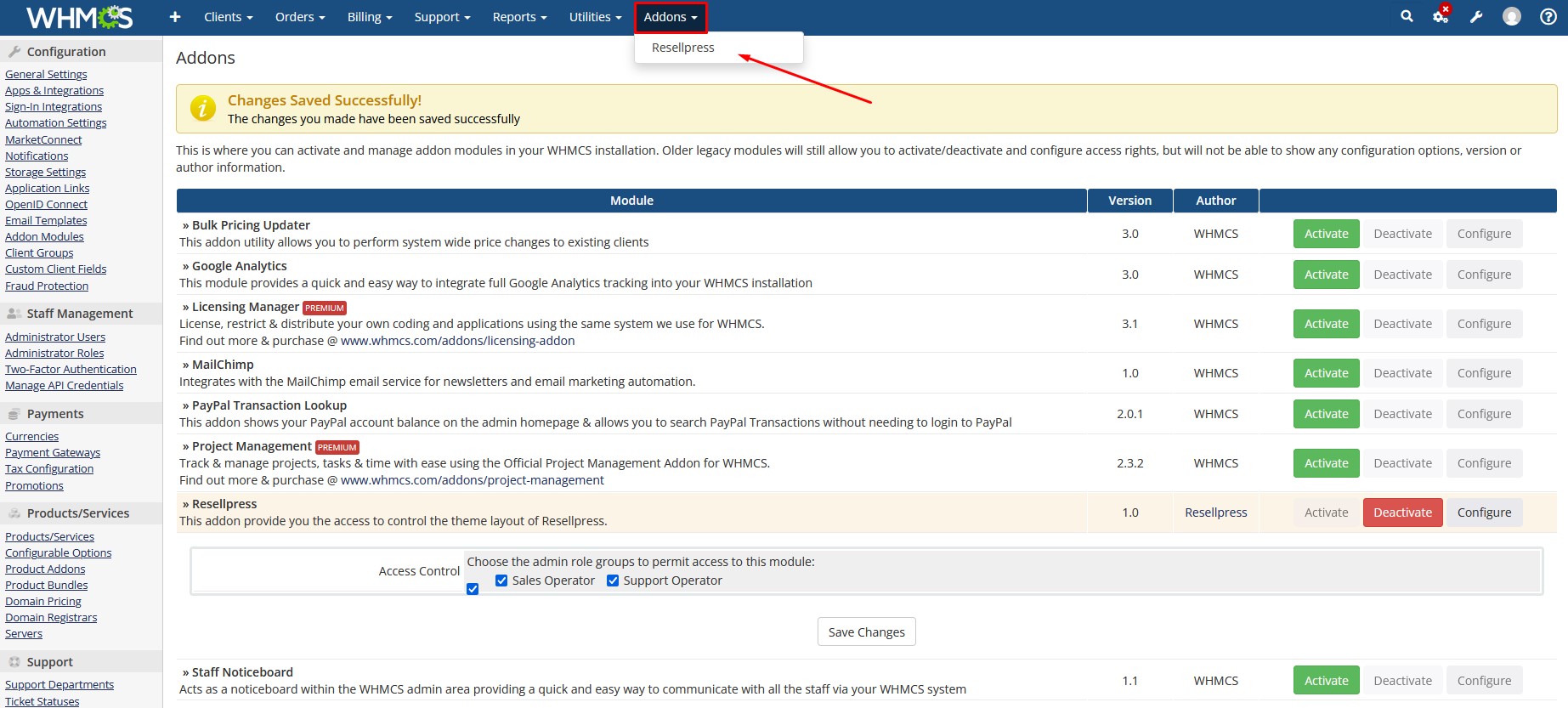
Hover over Addons and open .
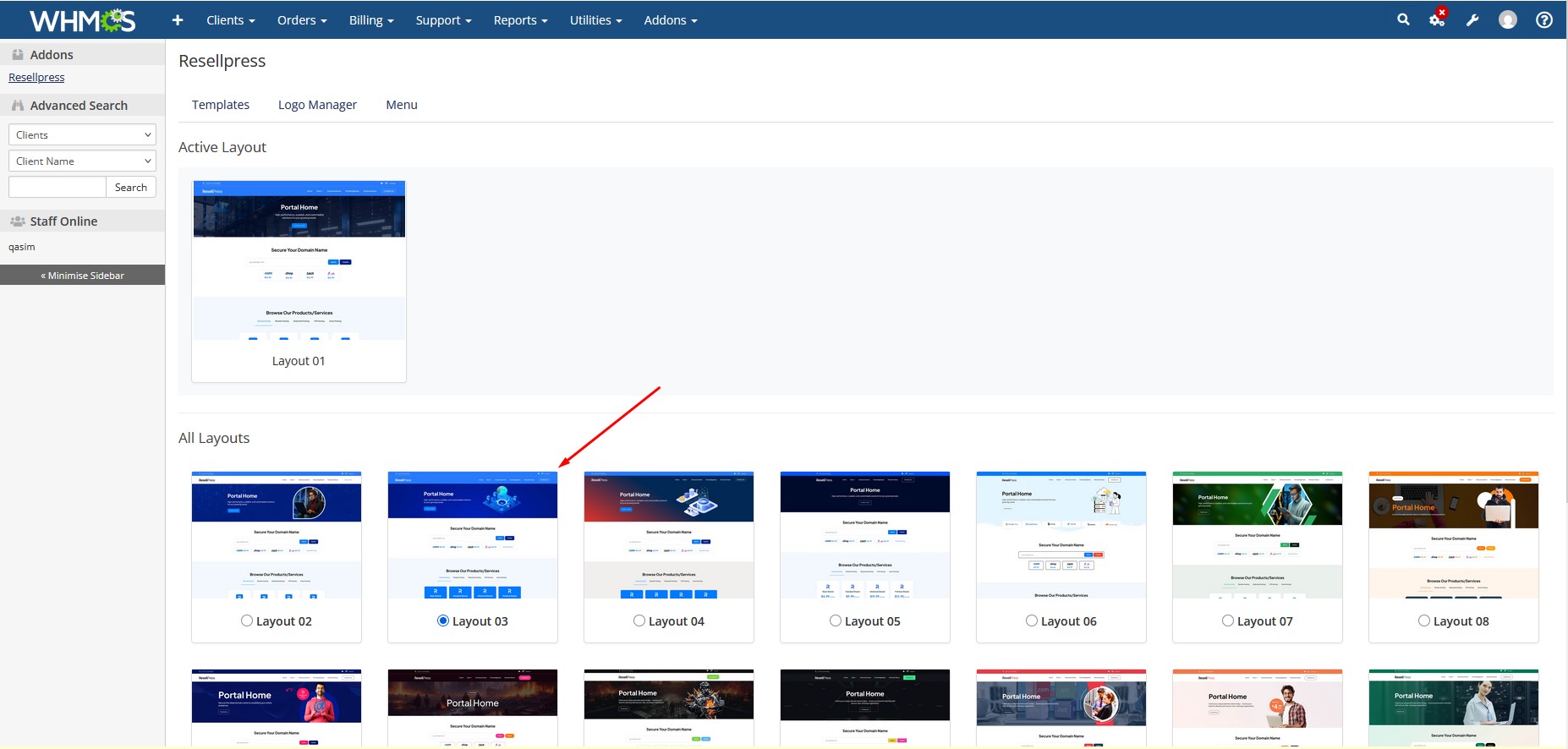
Click on your desired layout and click Save Layout.